Pre Flashed TASMOTA Smart LED Bulb Colour RGBCCT Lights ESP8285 Works With Home Assistant E27 Base AC85-265V


Pre Flashed TASMOTA Smart LED Bulb Colour RGBCCT Lights ESP8285 Works With Home Assistant E27 Base AC85-265V
SPECIFICATIONS
Battery Included: no
Brand Name: NONE
Certification: CE,FCC,RoHS
Choice: yes
Communication method: Wi-fi
Does It Includes Wireless Communication: Yes
High-concerned chemical: None
Inbox adaptor: No
Origin: Mainland China
Power Source: Ac,Ac
State of Assembly: Ready-to-Go
Wireless Communication: WiFi
Our store's LED products follow international power deviation standards.
When the rated power of the lamp is not greater than 5W, its deviation should not exceed 0.5W.
When the rated power of the lamp is greater than 5W, the deviation should not exceed 10% of the rated value.
AC220-240V or AC110-130V narrow voltage LED lights will also have a certain power increase according to the increase in voltage. For example, the working power of the same AC220-240V narrow voltage LED lamp is 4.5W at 220V voltage and 5W at 230V voltage.
Our store's lighting fixtures are all intelligent and support brightness adjustment. If you feel that the power is too high, you can lower the brightness and power. We aim to provide you with products that meet your expectations.
Please carefully read the SKU details and product description before purchasing to avoid unnecessary disputes.
Introduction
--Controlled by TASMOTA official server
--Controlled by MQTT, Web UI, HTTP, Serial, etc
--Using times, scripts, rules
--Open-source and expandable
--Use ESP8285-2M as MCU
Specification
-- RGB+2700~6500K,
-- 9W, 850LM
-- AC 85~265V, 50/60Hz
-- E27
-- 60 x 60 x 114 mm
-- 40000 hours
Installation
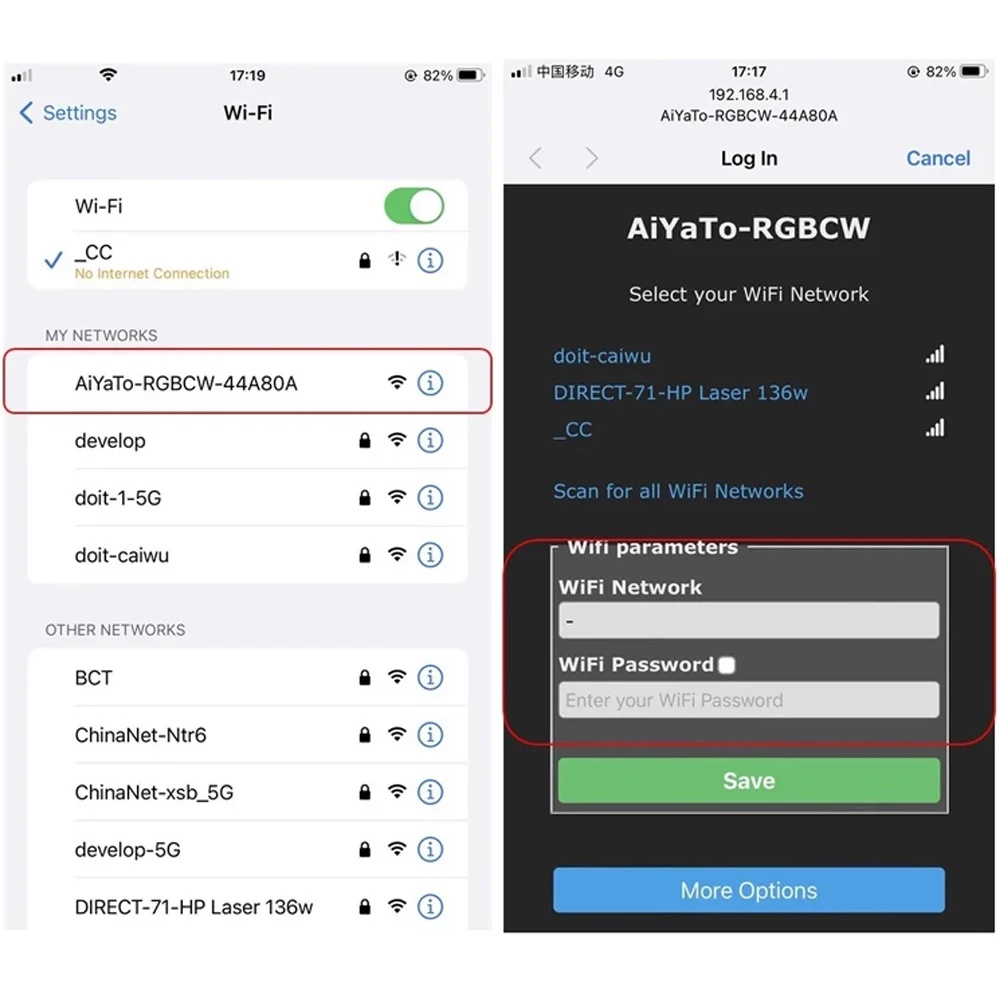
Step 1: Power device, and use phone to connect AP SSID named “AiYaTo-xxxx-xxxxxx”.
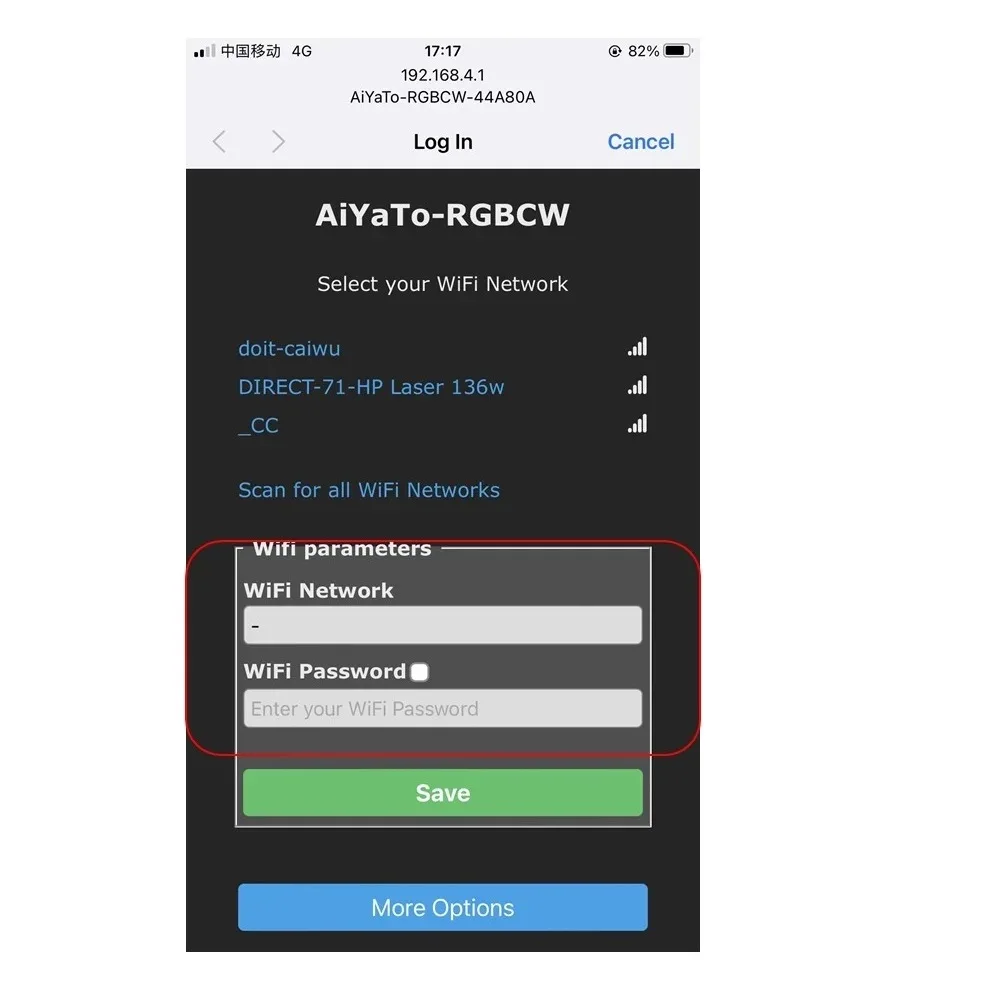
Step 2:In pop-up window, key your CORRECTWi-Fi router name and password. If window doesn’t pop-up, please land http://192.168.4.1 in phone’s browser. Wait a while, then the browser will show the device IP address. ( just like 192.168.x.x)